
Inside the extension
Share the link. Leave the baggage.
Remove tracking parameters from the current page, a copied URL or a right-clicked link. Inspect the result before you share it.
Clean a link, format JSON or tidy up text where you find it. Images and screenshots get their own local panels. More tools are a shortcut away on utilumo.com.
No account · No extension telemetry · No browsing-history collection
Available for desktop Chrome, Edge and Firefox.
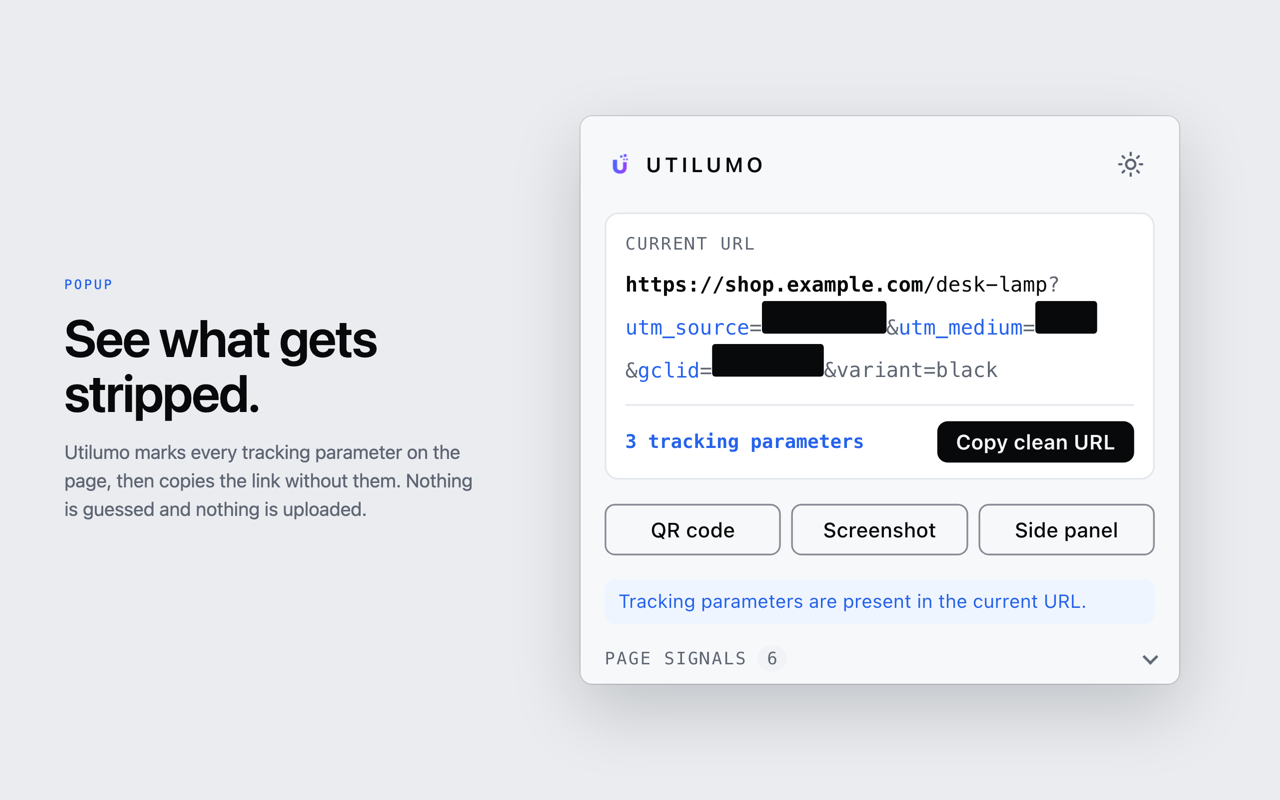
Use the toolbar popup or context menu for built-in actions. The launcher opens other tools on utilumo.com. The extension acts when you ask it to.
Inside the extension
Remove tracking parameters from the current page, a copied URL or a right-clicked link. Inspect the result before you share it.
Inside the extension
Select JSON, right-click and choose Utilumo → JSON tools → Format JSON. The extension formats it locally and copies the result.
Inside the extension
Clean up text, change case, reveal hidden characters, count words or extract links from a selection.
Inside the extension
Open local image tools to resize, convert or remove metadata. If browser security blocks access, Utilumo explains the available options.
Inside the extension
Capture a page or region, cover private details, then copy or download the result. Screenshot processing stays on your device.
Opens utilumo.com
The launcher searches Utilumo’s tool catalogue. Many tools open on utilumo.com in a new tab; they are not built into the extension.
Privacy by design
Supported extension actions process text, JSON, images and screenshots locally. The extension does not collect browsing history or send extension telemetry.
There is no permanent access to every website at installation. If an image task needs access to a specific site, Utilumo asks at that moment. It never silently uploads your content.
Favourite tools and preferences stay in the extension’s own local storage. Some actions deliberately open a web tool; opening the URL Cleaner or QR tool may pass the chosen URL in the address bar.
Read the full privacy policyUtilumo does not use cookies or persistent tracking to decide when to promote the browser extension.
A small tip can appear after two successful uses of supported tools during this visit. Its counter and dismissal live only in page memory and reset when you leave or reload. Browser-family detection happens locally to choose a suitable link; it is never sent back to Utilumo.
Keep using the web tools